USDZ INSPECTION TOOL · IN-BROWSER · NO UPLOAD

Know what's in the USDZ — before you ship it.

Inspector shows sales and marketing teams in seconds what's actually inside a 3D file — geometry, textures, provenance, classification. Before the asset goes to an agency, trade fair, or customer. In the browser, no upload.

Runs entirely local in your browser Open Source · Apache-2.0 No account, no setup
TWO MODES

Two kinds of USDZ. One tool for both.

Inspector reads any USDZ — even those without a USDseal stamp. Add a stamp, and the trust verification layers come on top.

1 DIAGNOSTIC MODE

Any USDZ — even unsigned

Before any handoff to an agency, trade fair, or customer: Does the file run in AR Quick Look? Which textures are inside, at what resolution? Are source metadata documented — or missing, and need clarification? Polygon count, materials, format sanity check.

Who uses this: Sales · Marketing · anyone receiving a USDZ.
2 VERIFICATION MODE

USDZ with USDseal signature

When a file is stamped with USDseal, provenance, version trace, and tamper checks come in: who signed it, when, against which engineering baseline, has it been altered since? Plus everything from diagnostic mode.

Who uses this: Compliance · Audit · any documented handoff.
What is USDseal?

USDseal is a digital authenticity seal for USDZ files. It documents inside the file itself where the components come from, who assembled them, and whether the file has been altered since. Inspector is the browser-side companion — it reads the seal without any file leaving your machine. → More about USDseal

DEMO

What Inspector looks like.

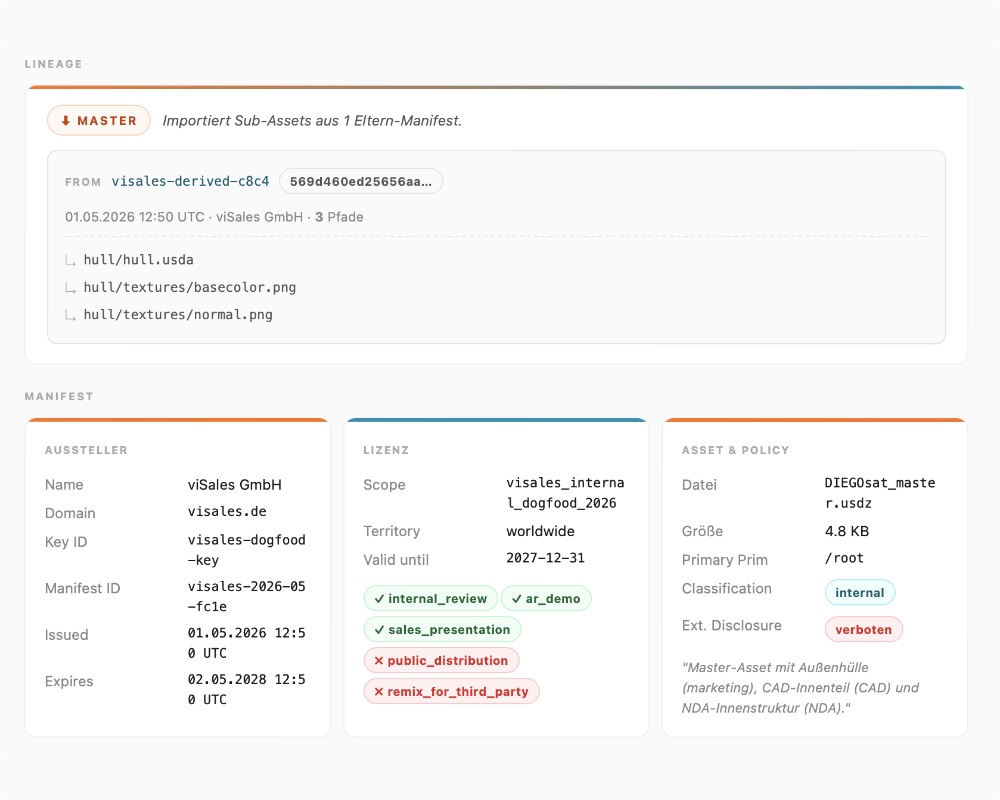
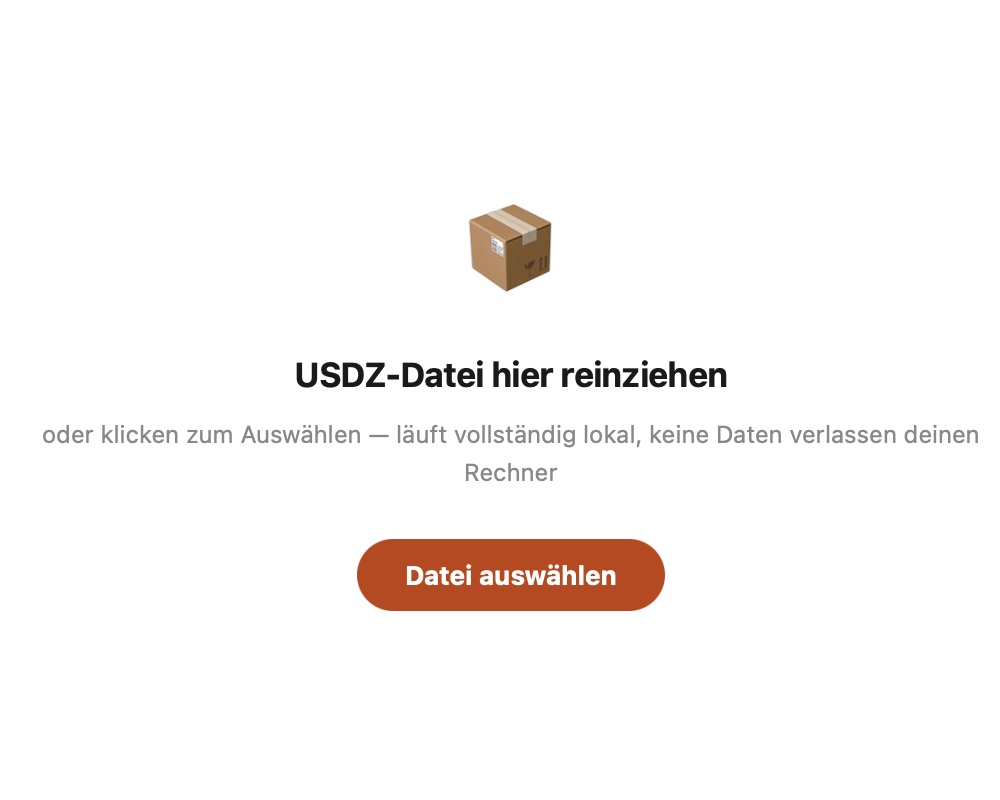
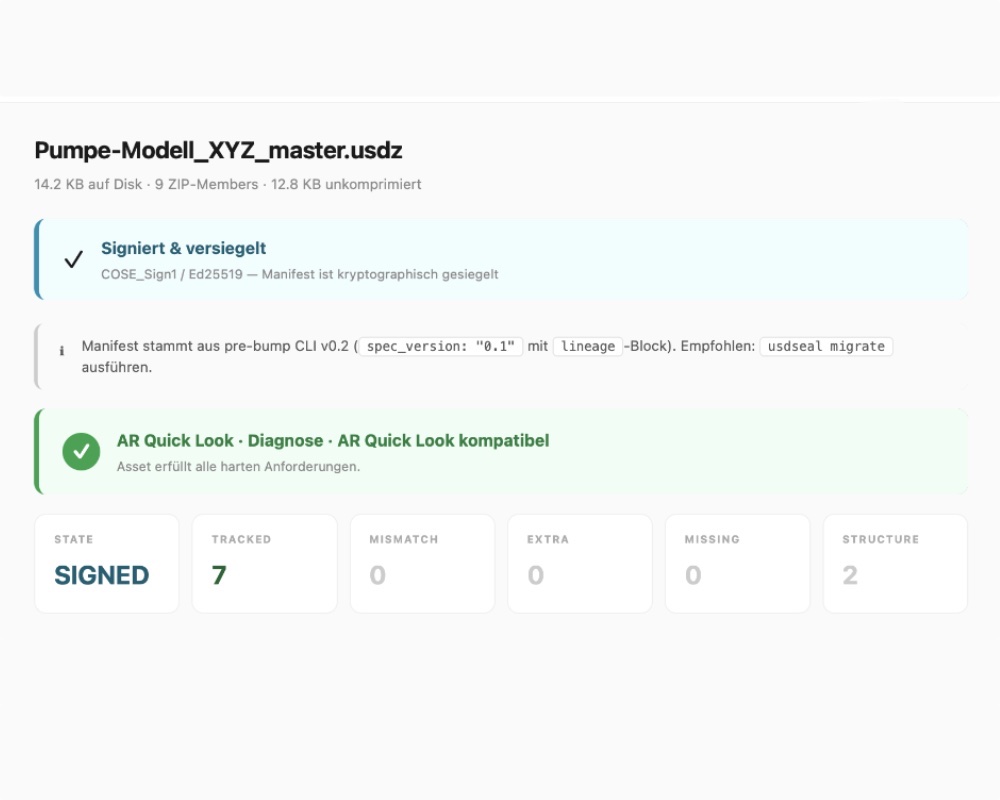
Drop file, read, decide. Three moments from Inspector. (Screenshots show the German UI — Inspector ships with a built-in DE/EN toggle.)

Drag & drop — pull a USDZ into Inspector
Overview — status, AR diagnostics, stats
Detail — lineage, issuer, license, classification
Open Inspector
FEATURES

What Inspector actually shows.

Three answer layers for three typical handoff questions.

1 WHAT'S INSIDE?

Contents and origin

Geometry components, textures with resolution and format, materials, AR Quick Look compatibility, documented sources — and a clear view of what's not documented and needs clarification before release.

2 WHO SIGNED IT?

Issuer and version trace

For USDseal-stamped files: issuer name, timestamp, key fingerprint. Plus version trace: does this USDZ derive from a master? Which content was filtered for this released version — e.g. marketing material only, without internal engineering detail?

3 TAMPERED?

Hash verification

Inspector verifies every component hash against the manifest. A swapped texture, a modified material, an added geometry — the break becomes immediately visible.

AR QUICK LOOK READINESS

21 rules. 7 categories. One file.

Apple's AR Quick Look has hard requirements — miss the defaultPrim, for example, and the iPhone viewer silently fails to display anything. Inspector checks every USDZ before any handoff against 21 rules across 7 categories and color-codes what breaks or wobbles.

1 · Structure

defaultPrim, ZIP order, no nested USDZ.

2 · Scale & Axes

Y-up, metersPerUnit, realistic units.

3 · Textures

Formats (PNG/JPG/WebP), size ≤ 4K, power-of-two, relative paths.

4 · External References

No HTTP links, no file references outside the USDZ.

5 · Manifest

For USDseal-signed files: signature and version trace verifiable.

6 · Animation

Time codes, loop definitions, animation markers in the header.

7 · Performance

File size ≤ 25 MB, geometry complexity, unused sub-assets.

Error — breaks AR Quick Look Warn — works, but Apple recommends otherwise Info — note, no risk
VERIFICATION

Verify it yourself

Don't trust, verify.

USDseal signatures are reproducible. Every signed USDZ carries SHA-256 hashes per ZIP component — you can recompute them independently in 5 lines of Python. Inspector shows the same hashes live in the browser, the Independent Verifier handles the full manifest roundtrip.

3-Layer Trust Architecture
Layer 1 — Component Hash
SHA-256 per ZIP member. If a single byte changes, the hash changes. Inspector shows every component.
Layer 2 — Pre-Seal Hash
Hash of the entire USDZ before manifest injection. Specified in Spec v1.0, implementation in progress in the sealing code.
Layer 3 — Manifest Signature
COSE_Sign1 / Ed25519. Independent Verifier script implemented, Inspector live-verify coming in v0.3.

Verify yourself — 5 lines of Python:

import zipfile, hashlib
z = zipfile.ZipFile('signed.usdz')
for member in z.namelist():
    h = hashlib.sha256(z.read(member)).hexdigest()
    print(member, h)

→ Inspector shows the same hashes live in the browser.

→ Independent Verifier (Python, ~120 lines) handles the full manifest roundtrip — github.com/KopfKinoK3/usdseal-verify.
Open Inspector View Verify Strategy View Independent Verifier
EVERYDAY USE

How you use Inspector — four steps.

No setup, no login. Inspector is there when you have a USDZ in hand and need to decide on the next handoff.

1

File arrives

A USDZ from engineering, from the agency, from a supplier, or from a customer.

2

Open Inspector

In the browser, no installation, no account. Save the file locally for offline use.

3

Drop the file

Drag & drop. Inspector reads it in browser memory — the file does not leave your machine.

4

Clarify gaps

What's inside? What's missing? Take the findings back to engineering or the agency — release or clarify.

PRIVACY

Privacy by architecture, not by promise.

Inspector is built so that no server exists — not promised that none is used.

No backend, no telemetry

Inspector is a single HTML file. There is no server that could receive, log, or forward data — not even accidentally.

Local processing in your browser

The USDZ is unpacked and read directly in browser memory. It does not leave your machine — not even as hashes or metadata.

Offline & air-gapped capable

Save the Inspector HTML locally, open it without a network connection — the functionality remains identical. Works in closed industrial networks too.

CONTEXT

Inspector in the file lifecycle.

A USDZ is rarely done after one handoff. It originates in engineering, gets tailored for recipients, is verified, used — and sometimes returns with updates. Inspector is the point where every handoff is checked.

1 PHASE 1 · ORIGIN

From engineering

From CAD systems like AutoCAD, NX, or SolidWorks — or platforms like NVIDIA Omniverse — a 3D-USDZ master is built. The complete engineering state, with all components and material information.

2 PHASE 2 · RELEASE

Tailored for recipients

From the master, filtered versions are exported — e.g. without internal engineering detail for the marketing agency, without NDA components for the trade fair. The exported file carries a USDseal stamp with provenance information.

3 PHASE 3 · USE

Verified, used, extended

Before any handoff, the recipient opens the USDZ in Inspector and checks the content. The same file then runs without custom app development on iPhone, iPad, and Apple Vision Pro — and is simultaneously usable in a configurator (e.g. USDconfig), as rendering, animation, or digital-twin asset. Additions flow back to the master with a new seal.

→ More about Spatial Sales Infrastructure (DE)

VISALES 3D STACK

More from the viSales 3D stack.

Inspector is the verification surface. Around it sit further viSales tools that share the same pipeline picture.

CLI with init, sign, verify, inspect, export, merge. Cryptographically stamps asset sources and license info into the USDZ file. Master / derivative workflow for rights-filtered sales versions. Open source, Apache-2.0, C2PA-compatible. Inspector is its browser-side companion.

Questions? Reach out on LinkedIn → Gerhard Schröder.

Web-based configuration plus AR preview from a single 3D master. All variants from one dataset, no asset sprawl. Runs directly on iPhone, iPad, Apple Vision Pro, and in the browser. For sales presentations, showroom AR, webshop integration.

→ USDconfig landing page

Questions? Reach out on LinkedIn → Gerhard Schröder.

Adapts USD specs from NVIDIA Omniverse so the file runs in AR Quick Look (iPhone, iPad) and on Apple Vision Pro — pure format and spec adjustment. No polygon reduction, no material rebuilding. The engineering asset reaches sales endpoints unchanged.

Questions? Reach out on LinkedIn → Gerhard Schröder.

FAQ

What users and recipients often ask.

No. Inspector works standalone for any USDZ — even without a USDseal stamp. The CLI is only needed when you want to stamp USDZ files yourself and document their provenance.
Correct. Inspector is a single HTML file with JavaScript — no backend, no server endpoint, no telemetry. The USDZ is unpacked and read only in browser memory. You can save the Inspector HTML and open it offline.
Viewers show the 3D scene. Inspector additionally shows the manifest, texture inventory, provenance metadata, classification — and for signed files, the trust status. These are layers a viewer doesn't have. Inspector doesn't replace a viewer; it reads the invisible layer beneath it.
Before every USDZ handoff, the same question arises: what's inside, does it run in AR, are texture sources documented? Inspector answers this in seconds — even if no one in your workflow stamps with USDseal. When a gap shows up (e.g. undocumented sources), USDseal stamping is the logical next step.
Inspector is open source under Apache-2.0. The repository is at github.com/KopfKinoK3/usdseal-inspector — English documentation for devs, the AOUSD community, and infrastructure teams.
ORIENTATION CALL

30 minutes. Your 3D pipeline. We look at it with Inspector.

If you work with 3D assets in sales and have seen either compliance requests or uncertain asset handoffs: send us a USDZ from your current workflow, and we'll open it together in Inspector to see what becomes visible.

Book a call